Updates
Straight Into a Story, as Yourself: New Onboarding and Personas
Narratica 0.11.0 takes new players from sign-in straight into their first story and lets you create personas of your own to play in any world.
 Caroline
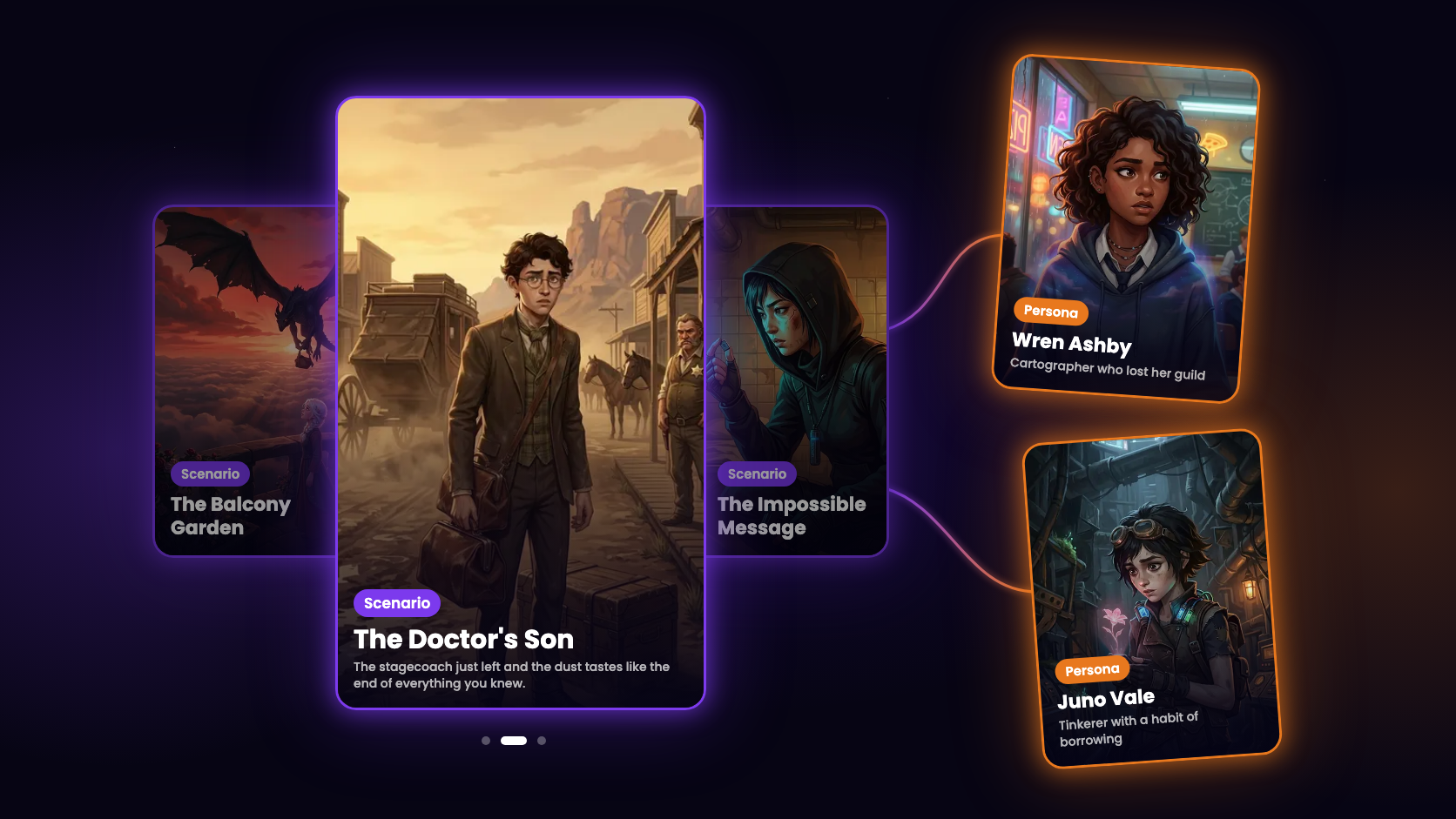
Until now, a new player had to fill in a profile, find their way through Discover and pick a character before the first message. Update 0.11.0 cuts that down to one tap. It also brings personas: characters of your own that you can take into any world.
Your first story
After you sign in, the app no longer asks for a nickname and a handle. It opens Your first story instead: three stories we picked for new players. Swipe through them, tap a card to read what it is about, and press Step in on the one you like. The story starts right away, with a character already chosen for you.
The first story comes with three short tips. They show where to write your move, what the energy at the top of the screen means, and that the story saves as you play, so you can leave it and pick it up from Home later. If you would rather look around first, tap Skip.
We gave you a random name and handle so you can start playing straight away. You can change both anytime in Settings → Edit profile.
Energy
The ring in the story's top bar now shows how much energy you have left. Each turn uses a little, and it fills up again over 5 hours. The weekly limit stays the same, and the Usage card in Settings still shows both. The FAQ explains how the limits work.
Personas
So far you always played one of the protagonists the scenario's author wrote. Now you can bring your own character too.
Open Create and choose Persona. Give your persona a name and a short title, then describe their background, looks and manner, and add a portrait. The AI reads all of it, so the world and its characters react to who you are, and the suggested replies sound like you. What your persona says and does in the story stays up to you.
When you start a scenario, tap Choose from my own personas on the protagonist screen, swipe to your persona and press Select. One persona works in every world, so the cartographer you made for a fantasy story can walk into a western saloon tomorrow.
Your personas are private. They live in the Personas tab on your Profile, and only you can see them. You can leave the description or the portrait for later: the persona waits there marked Incomplete, and you can play it once everything is filled in. Each story keeps its own copy of the persona, so editing it later does not change your running stories.
The docs go through it step by step: Personas and Choosing a persona.
Smaller things
- Choosing a scenario or a protagonist looks better: the picture of the card in the middle blurs behind the picker, and dots under the cards show where you are.
- In a world's scenario picker, tapping a card opens the scenario's page, so you can read more before you press Play.
- When someone sends you a link to a world or a scenario, the app opens it, even if you are just signing up.
What's next
We are still working on the new AI engine, so stories remember more, keep track of plot threads and keep the characters and places that appear along the way. After that come sharing your worlds with other players and profiles you can follow.
We would love to see who you play as, so show us your personas on our Discord.
Update to the latest version on the App Store and Google Play.
- KeyQlin