Personas
Who you are in a story.
Your persona is the character you play in a story. Choose one of the scenario's protagonists, the characters its author marked as playable, or bring a private persona of your own. Either way, you choose before the story starts and keep that identity for the whole story.
Who you are in a story
You pick from the scenario
A scenario lists the characters a player can be. The app calls them protagonists. When you start a scenario, the app asks you to Choose a protagonist. The story summary then shows your choice before the first message:
Entering The Redvale Valley as Elijah Dawson in The Doctor's Son
What the AI is told
The AI gets your persona's name, title and definition, with one instruction: the player has full control over this character's actions, decisions, words and thoughts, and the AI must never write them. It can describe how the world and the other characters react to you, address you by name, and put choices in front of you.
So a protagonist's definition does two jobs. For the other characters it says who you are, so they treat you the right way. For the AI it says what kind of person is at the keyboard, so the suggested replies sound like them. This is the team's definition of Elijah, the protagonist above:
A young man whose entire world has collapsed and who is rebuilding it in a place that does not forgive weakness. His medical knowledge is real but incomplete - two years of study, not a full degree. He is intelligent, observant, and accustomed to learning from books, which means the physical, experiential learning of ranch life humiliates him daily. He falls off horses. He cannot lift what others lift. His hands blister and bleed. But he does not quit, and this persistence is what slowly earns respect. He speaks more formally than anyone in Redvale - full sentences, proper grammar - and must learn that fewer words carry more weight here.
It changes how the story goes
The same scenario plays differently depending on who you took. Characters react to who you are as well as to what you type. A sheriff and a stranger walking into the same saloon get two different receptions.
If you want to see the other side of a scenario, start it again as someone else. Your first story stays where it is.
Your own persona
Your own personas live in a private library and belong to no world. You can reuse a complete persona across playable scenarios in different worlds.
Create and finish one
Open Create and choose the final Persona entry. You can also start from the empty Personas tab on your Profile, or tap Create new in the story's personal-persona picker. A populated Profile library has no Create button; use Create or the story picker to add another.
The wizard has four screens:
- Who will you be? Give the persona a name and a short title. Continuing creates a private draft.
- Describe your persona. Write their background, look and manner. The AI reads this with the name and title, so the world and its characters can react to who you are, and the suggested replies take on your manner. What you say and do in the story stays yours.
- Add a portrait. Choose a picture for the card.
- Completion. Your persona is ready means all four fields have been saved. Your persona is saved means there is still something to finish.
Who will you be?
Give your persona a name and a short title.
Name
10/64
Title
31/64
Continue
Describe your persona
Their background, look and manner. The story uses this so the world can react to you.
Definition
0/1024
Continue
Fill in later
Add a portrait
Choose an image to bring your persona to life.
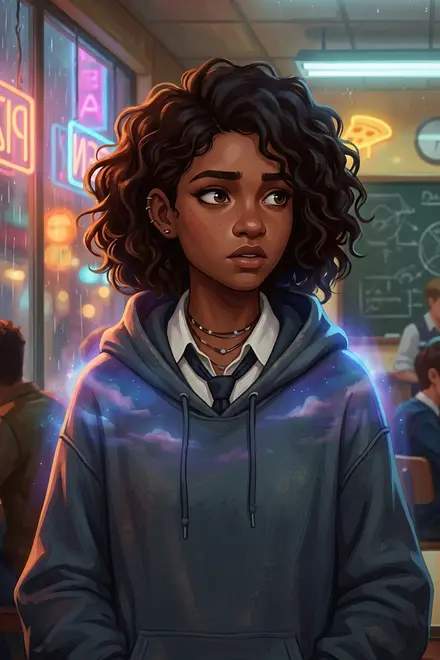
Wren Ashby
Cartographer who lost her guild
Choose a different image
Finish
Wren Ashby
Cartographer who lost her guild
Your persona is ready
Bring this persona into your next story.
Go to my personas
You can leave the definition or portrait for later. The draft stays under Profile → Personas, tagged Incomplete; the tab notes that only you can see your personas. Tap its card to reopen the editor, where fields save as you type and the checklist takes you to missing details. Once a saved name, title or definition has text, the app will not let you clear it.
A persona needs a saved name, title, portrait and definition before you can select it for a story. An incomplete card can still be opened and finished. Choosing a persona walks through using the library before play.
Its story keeps a copy
The story copies the chosen persona's name, title, portrait and definition when you press Begin adventure. Editing or deleting the source persona later does not change an existing story. To use an edited persona, start a new story and select it again.
It is fixed for the story
You cannot change your persona partway through a story
The story was built around it: every message so far was written to you as that character. To play as someone else, start the scenario again.
How is this guide?
Last updated on October 30, 2026