Writing scenarios
Turning a world into something someone can play, and how to write a prologue that starts a story well.
Coming soon
This page describes something that is coming to the app, not something you can do in it today. See more on the page What's live now.
A scenario is where a story starts in a world, and it picks the moment, who can play it and who speaks first. A world with no scenario cannot be played however good its definition is, while a world with three scenarios can be played three different ways.
The wizard has six screens. If you start it from Create, it first asks which world the scenario belongs to. The scenario needs at least one character from that world, and if the world has none yet, the second screen lets you create one.
The six screens
Name your scenario
The title is up to 64 characters, and this screen creates the scenario. The team's scenarios are The Doctor's Son, The Scrap Knight and The Letter.
Choose protagonists
The app asks you to Pick the characters players can choose as their protagonist, and you need at least one. They come from the world's characters, the picker lets you search them, and Create a character opens the character wizard and brings you back when it is done.
Choose protagonists
Pick the characters players can choose as their protagonist.
Link character
Continue
Fill in later
Choose protagonists
Pick the characters players can choose as their protagonist.
Link characters
Search characters
 Narratica
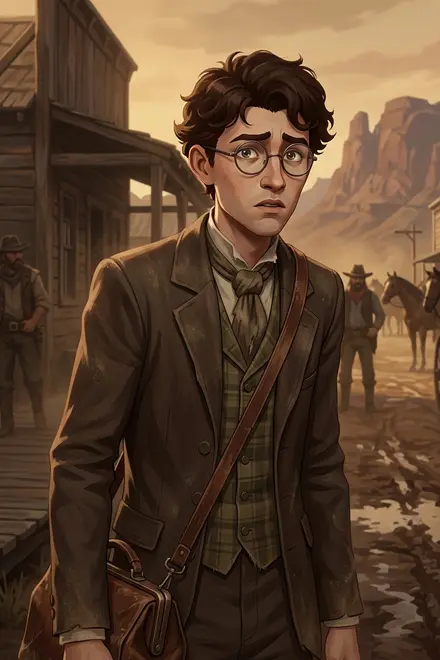
Elijah Dawson
Elijah is 22, slim, bespectacled…
 Narratica
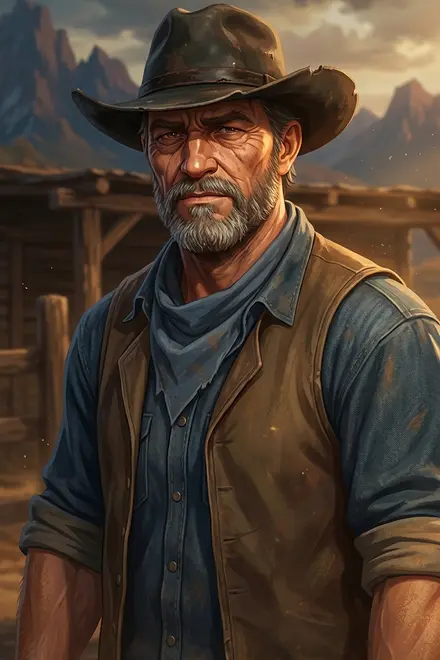
Hank Dawson
Elijah's uncle. Hank is 54…
Create a character
Done
Link character opens the sheet. Tap a card to tick it and press Done, and the card appears on the screen with an x in its corner for unlinking.
Choose protagonists
Pick the characters players can choose as their protagonist.
NarraticaElijah Dawson
Elijah is 22, slim, bespectacled…
Link character
Continue
Fill in later
Set the opening
The app says Optionally choose a character to open the story, and what they say, and you pick one character who is not a protagonist and write their message of up to 1024 characters. If every character in the world is already a protagonist, the picker lets you create a new one. Skip it if you want the story to start with the prologue and the player. See more under The opening message below.
Set the opening
Optionally choose a character to open the story, and what they say.
Opening character
Choose a character
Continue
Fill in later
Set the opening
Optionally choose a character to open the story, and what they say.
Opening character
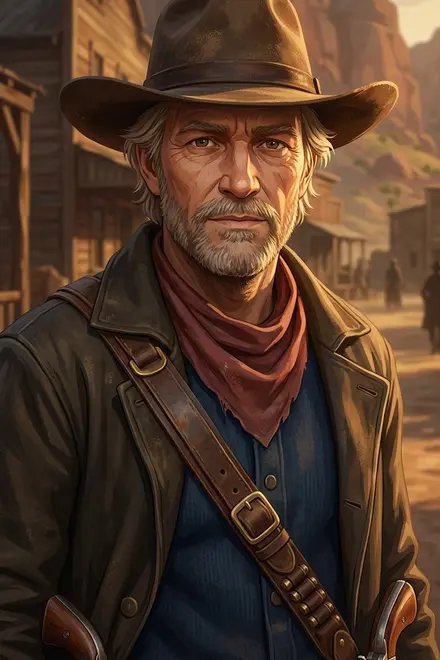
Tom Garrity
Opening message
412/1024
Continue
Fill in later
Describe your scenario
The app asks What is this story about at a glance?, and the answer is up to 1024 characters, for players. It is the text on the scenario's page and the reason someone presses Play. It can use bold and italics; see more on the page Markdown.
Write the prologue
The app asks you to Set the opening scene the story begins on, in up to 1024 characters, and this becomes the first message of every story that starts here. See more under The prologue below.
Write the prologue
Set the opening scene the story begins on.
Prologue
611/1024
Continue
Fill in later
Add a cover image
Any picture you have will do, and it is for players only. Then press Finish. The screen after it already knows whether the scenario can be played. It says Your scenario is ready! and offers Start playing if everything in the chain is complete. If the scenario is complete but its world or one of its characters is not, it says Almost there!, and if you skipped something, A great start!. Both offer Finalize your scenario.
Unplayable
NarraticaThe Doctor's Son
The stagecoach just left and the dust tastes like the end of everything you knew.
00
A great start!
Your scenario is saved. Finish the remaining details anytime from its edit screen; once it is playable, so is your world.
Finalize your scenario
Back to the world
 Narratica
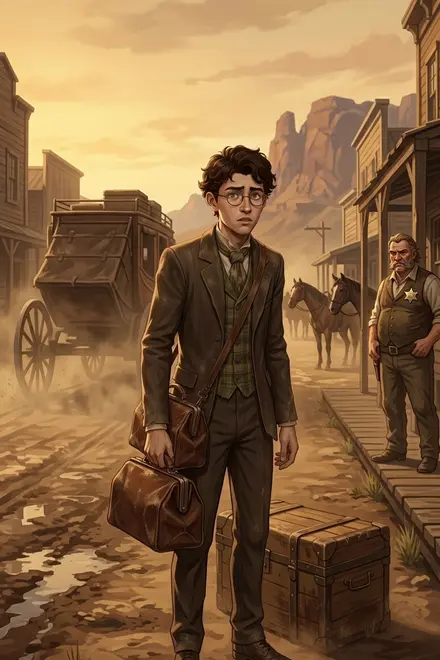
The Doctor's Son
The stagecoach just left and the dust tastes like the end of everything you knew.
00
Your scenario is ready!
Your world is playable now. Start the story yourself, or head back to keep building.
Start playing
Back to the world
The prologue
The prologue is shown as the narrator's first message, word for word, and the AI does not rewrite it or continue it, because the next thing that happens is the opening message, if there is one, and then the player's turn. The prologue's job is to put the player in a scene, at a specific moment, with something to react to.
The stagecoach pulled away and left you standing in dust that tasted like the end of everything you knew. Redvale. One street. A dozen buildings. Mountains rising behind them like a wall between you and the world you came from.
Your trunk sat in the dirt. Your father's medical bag hung from your hand - the leather worn smooth where his fingers had gripped it for twenty years.
Across the street, a man with a star on his chest studied you the way doctors study a patient - looking for what was wrong before anything was said.
The road back to St. Louis closed like a door.
What it does, and what to copy:
- Second person. You are standing in the dust, so the player is the protagonist from the first word.
- One moment. The stagecoach has just left, and the prologue covers the thirty seconds the story starts in, without a week of backstory.
- The place, in four fragments. One street. A dozen buildings. Mountains. That is enough to see it without a tour.
- One object. The medical bag carries the whole history in a sentence.
- Someone to react to. The man with the star is already watching, so the player's first message has something to answer.
- No dialogue. The prologue is the narrator, and speech belongs to the opening message.
- Italics. The team writes prologues in italics, the way the app shows narrator text, so wrap each paragraph in asterisks; see more on the page Markdown.
What to leave out
- Rules of the world. The AI sees the prologue only while it is among the last 20 turns of the story, while the world's definition is in front of it on every turn, so if something must stay true, it goes there.
- Choices. Do not end with What do you do? or a list of options, because the app gives the player three suggested replies on its own and the scene should invite a response by itself.
- The whole plot. Set up the situation and leave the ending open, because the story belongs to the player from the second message.
The opening message
The opening message is an optional line from one character, shown right after the prologue as that character's first message, and it answers the question every player has at the start: who do I talk to?
"You'd be Dawson's nephew. You've got your father's face - same jaw, same way of standing like you're thinking three things at once. I'm Garrity. Your uncle knows you're coming but he's not the type to meet a stage. Ranch is four miles northwest. I can point you or I can take you. Either way, drink some water first. You look like the sun's already winning."
It names the player, tells them where they stand and gives them a decision to make. After it the story is live, and the AI plays Garrity from his definition. Write the opening in the character's voice as one message, which means direct speech plus at most one short action in italics.
Use one when the story starts with a meeting, and skip it when the story starts alone, like a player waking in a cell or a knight at the foot of a tower.
The description
The description is for players, and the team writes it in second person too, so that it reads like the prologue's back cover: who you are, where you are and what just happened. It can be longer than the prologue and can say things the prologue only shows.
The AI never reads the description
What the player needs to know at the start goes in the prologue.
Protagonists
Every protagonist should be a character whose definition says what they can do, how they speak and what they carry, because the AI reads it as who the player is and writes the suggested replies from it. A scenario with two protagonists is two different stories, because the same prologue read by the sheriff and by the stranger is not the same scene.
A scenario is not playable until all of its protagonists, and its opening character if it has one, are complete, and the edit screen's checklist says Finalize character: Clara if one is not.
A persona of your own Coming soon
A player always plays one of the protagonists you chose. Personas will also let players bring a persona they wrote themselves. See more on the page Personas.
More than one
Scenarios are cheap, because once a world has its characters, a new scenario is only a title, a cast, a prologue and a picture. Use them for:
- Different starting points, like the day the stranger arrives and the winter three years later.
- Different sides, like the same night as the sheriff and as the person he is watching.
- Different sizes, like a one-evening scene and a long campaign in the same world.
After the wizard
If everything is filled in and the world and the characters are complete, the last screen offers Start playing, and if not, Finalize your scenario takes you to the edit screen, where the Path to playable checklist lists what is missing on the scenario, on the world or on a protagonist.
Path to playable
4 / 7Add a title
Add a protagonist
Add a description
Add a prologue
Add a cover image
Finalize the world
Finalize character: Elijah Dawson
Western
The Doctor's Son
The Redvale Valley
Narratica0 likes0 chats
Play
About this scenario
The stagecoach just left and the dust tastes like the end of everything you knew. You are Elijah Dawson…
Story preview
The stagecoach pulled away and left you standing in dust that tasted like the end of everything you knew…
Tom Garrity
Sheriff
The scenario's own page is what a player sees: the cover, the setting, Play, the description under About this scenario, and the prologue and the opening character under Story preview. Open it to read your opening the way a player will.
How is this guide?
Last updated on September 27, 2026